
Volunteer Registration Instructions
| |
Step 1: Register as an AYSO Volunteer!
In the top right corner, click“Register Now.”
First-time volunteers:
Create a new account using your email address and a password, then follow the prompts to complete your registration.
Returning volunteers:
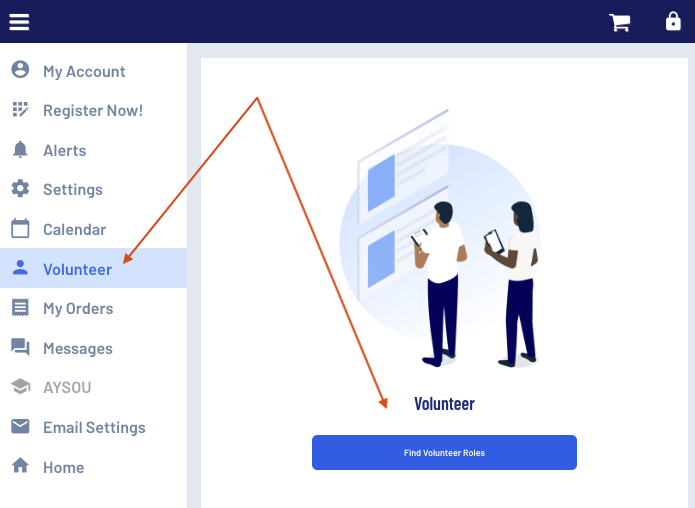
Log into your account, click“My Account,”then select“Volunteer”from the left-side menu to register for the current season. Please note: Use your legal name and a unique email address (not shared). Your email is your identity in AYSO systems and must match your background check, LiveScan, and training records. |
Step 2: Sign Up as a Coach
In your account, click “Volunteer,” then select the division you wish to coach. If you do not see the division you are looking for, click “Show All Available Opportunities” in the bottom right corner.
Then select either Head Coach or Assistant Coach.
Select the user who will be coaching. If registering a partner, they must have their own account with a unique email. If accounts need to be linked, please contact [email protected].
Complete the application and enter your preferred Coaching Partner if you have one. You may return later to update this section if needed.
Step 3: Complete Required Volunteer Requirements
👉 See AYSO Volunteer Training page (background check, LiveScan, and safety training). Most of this is completed online via "AYSOU".
Step 4: Complete Coach Age Appropriate Training
👉 See Coach Training & Certification page. Most of this is completed online via "AYSOU" plus an in-person field training required for 10U and higher.
Step 5: Coach Your Team
Once certified and assigned to a team, you’ll begin communicating with families and preparing for the season.
No coach is expected to do this alone. We are here to support you.
Please note: While AYSO is a 100% volunteer-run organization and player registration is open to all players, all volunteer applications are reviewed and coach placement is not guaranteed.